
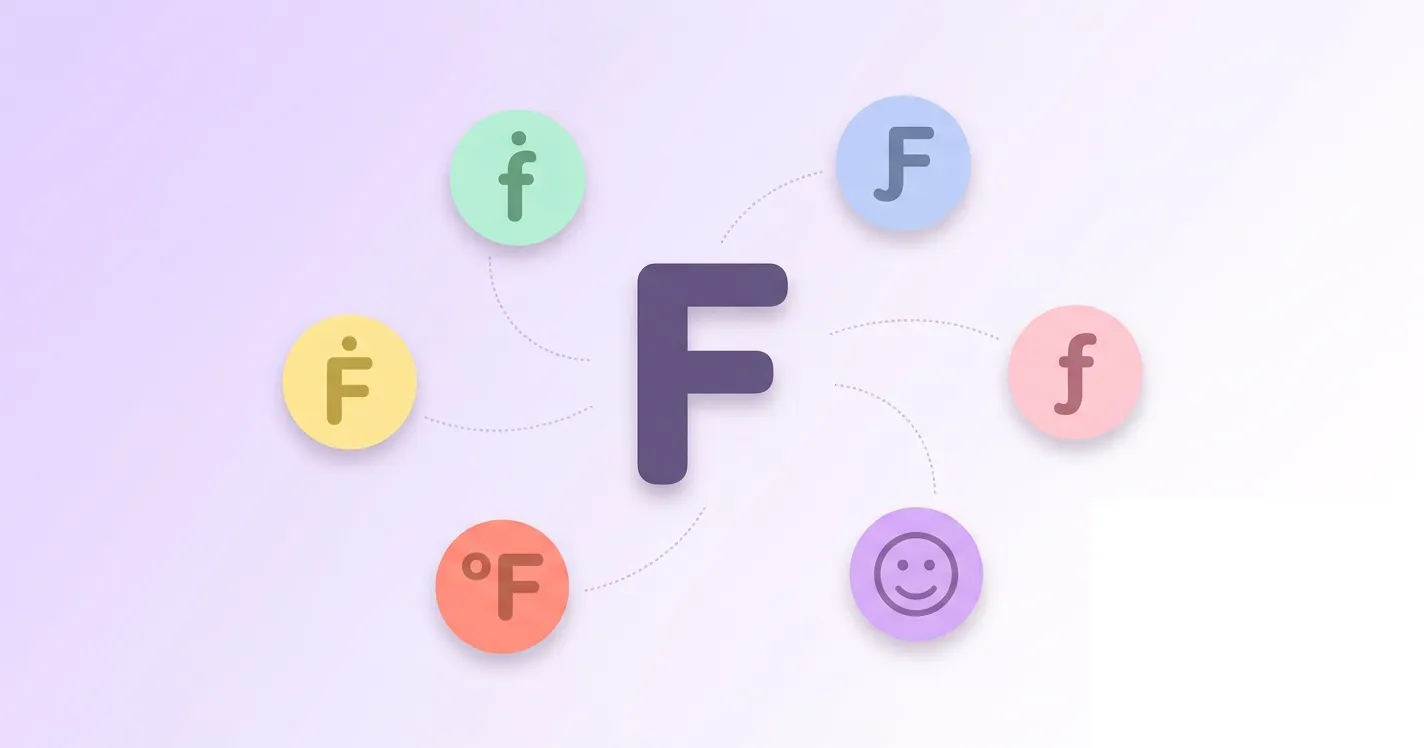

This guide walks you through every method for typing f with accent marks, including alt codes for Windows, keyboard shortcuts for Mac, and the Unicode values you need for HTML and coding projects. You will also find ready-to-copy symbols and quick answers to common questions.
To learn about other accented letters, here is a dedicated page covering all accented letters of the alphabet, with copy-paste functionality.
F with accent Copy Paste
Below you will find every f with accent symbol ready to use. Simply click on the character you need and it gets copied straight to your clipboard, no typing, no codes, and no extra software required. Paste it wherever you like, in documents, messages, or web forms.
Lowercase f with accent
Capital F with accent
Alt Code for f with accent
Alt codes let you type special characters on Windows using the numeric keypad. For f with accent, this covers f with dot above, f with hook, and even f with degree for the Degree Fahrenheit symbol. Each code works the same way across most Windows programs and browsers.
To type any f with accent character using its alt code, follow the steps below.
- Turn on Num Lock on your keyboard.
- Place your cursor where you want the symbol to appear.
- Press and hold the Alt key.
- Type the numeric code from the table below using the numeric keypad.
- Release the Alt key and the accented f will appear.
| Symbol/Mark | Alt Code |
|---|---|
| ḟ | ALT 7711 |
| ƒ | ALT 402 |
| Ƒ | ALT 401 |
| Ḟ | ALT 7710 |
| ℉ | ALT 8457 |
F with dot above (ḟ)
F with dot above comes in two forms, lowercase ḟ and capital Ḟ. This mark shows lenition in traditional Irish orthography, meaning the f sound becomes silent or nearly silent. Scholars and language learners still use it when transcribing Old Irish and Scottish Gaelic manuscripts and texts.
Since the dot marks lenition, ḟ is typically silent or reduced to a light breathy sound, and it carries no independent sound value of its own. In modern spelling, this same function is written as fh instead of the dot.
A common example is the word fear, meaning man in Irish. After certain grammatical triggers such as the possessive mo, meaning my, it becomes ḟear or fhear, showing that the f is no longer pronounced.
F with hook (ƒ)
F with hook exists as lowercase ƒ and capital Ƒ. In linguistics, it represents specific fricative sounds not found in English, and it is used in the orthography of Ewe and related West African languages such as Avatime and Lelemi to distinguish sounds that the standard letter f cannot show.
In Ewe, ƒ represents a voiceless bilabial fricative, a sound made by pushing air between the lips rather than the teeth and lip like the regular f. This makes it phonetically different from the everyday English f sound.
The italic lowercase ƒ is also widely recognized as the florin sign, once used for the Dutch guilder and still seen today for the Aruban florin. In mathematics, the same symbol is sometimes used informally to denote a function.
How to type f with an accent on mac
You can type f with accent characters on Mac using a mix of direct Option key shortcuts and the built-in Unicode Hex Input method. Follow the steps below along with the table to type any version of accented f on your Mac.
- Open System Settings, then go to Keyboard and Input Sources.
- Click the plus button and add Unicode Hex Input as an input source.
- Switch to Unicode Hex Input from the input menu in your menu bar.
- Hold the Option key and type the Unicode code shown in the table below.
- Release the Option key and the accented f will appear. For the florin sign ƒ, switch back to your normal layout and press Option and F together.
| Symbol/Mark | Mac Keyboard |
|---|---|
| ḟ | Option + 1E1F (Unicode Hex Input) |
| ƒ | Option + F |
| Ƒ | Option + 0191 (Unicode Hex Input) |
| Ḟ | Option + 1E1E (Unicode Hex Input) |
| ℉ | Option + 2109 (Unicode Hex Input) |
F accent unicode and different programming languages
The table below lists the Unicode value for every f with accent character, along with how to reference each one in HTML, CSS, and programming languages such as JavaScript, Java, and C.
| Name | Symbol/Mark | Unicode | HTML Hex | HTML Dec | CSS | JS,Java,C |
|---|---|---|---|---|---|---|
| Lowercase letter f with dot above | ḟ | U+1E1F | ḟ | ḟ | \1E1F | \u{1E1F} |
| Lowercase letter f with hook | ƒ | U+0192 | ƒ | ƒ | \0192 | \u{192} |
| Capital letter F with hook | Ƒ | U+0191 | Ƒ | Ƒ | \0191 | \u{191} |
| Capital letter F with dot above | Ḟ | U+1E1E | Ḟ | Ḟ | \1E1E | \u{1E1E} |
| Degree Fahrenheit | ℉ | U+2109 | ℉ | ℉ | \2109 | \u{2109} |
Conclusion
Typing f with accent no longer needs to be complicated. Whether you prefer alt codes on Windows, keyboard shortcuts on Mac, or Unicode values for your next coding project, this guide covers every method in one place. Bookmark this page for whenever you need to type ḟ, ƒ, Ƒ, Ḟ, or the Degree Fahrenheit symbol quickly.